Combine files from several teams
Consolidated Excel + review list
Six SCALAR office tools · Operations automation
Combining team spreadsheets and checking amounts by hand?
Review conflicting amounts, then download a new result file.
Try the synthetic example without company files. Originals stay unchanged. The demo uses a Korean interface.
Application-roster automation for your team →
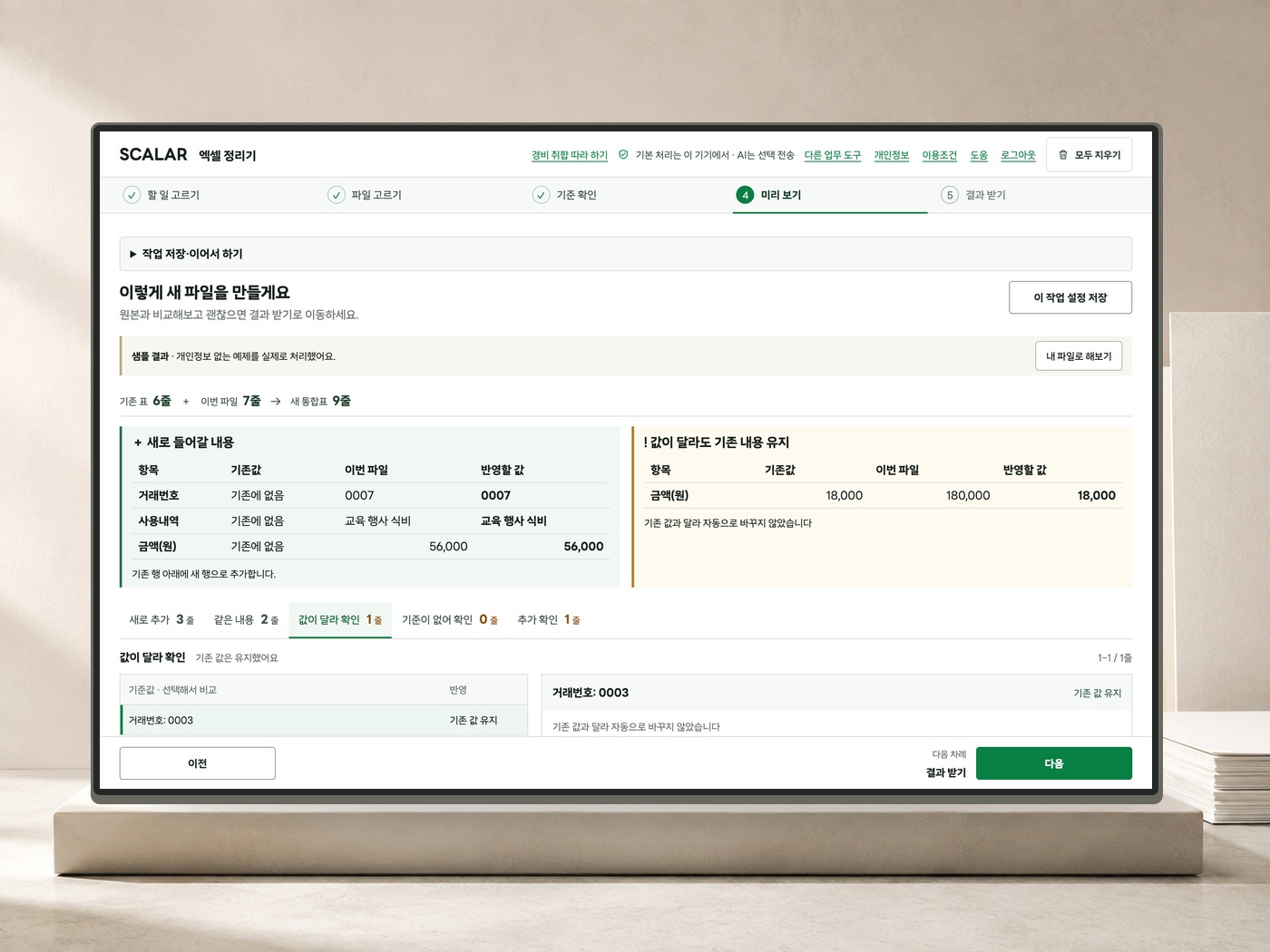
Spreadsheet cleaner · Expenses
Bring together your company ledger and team expenses.
See new transactions separately from conflicting amounts.
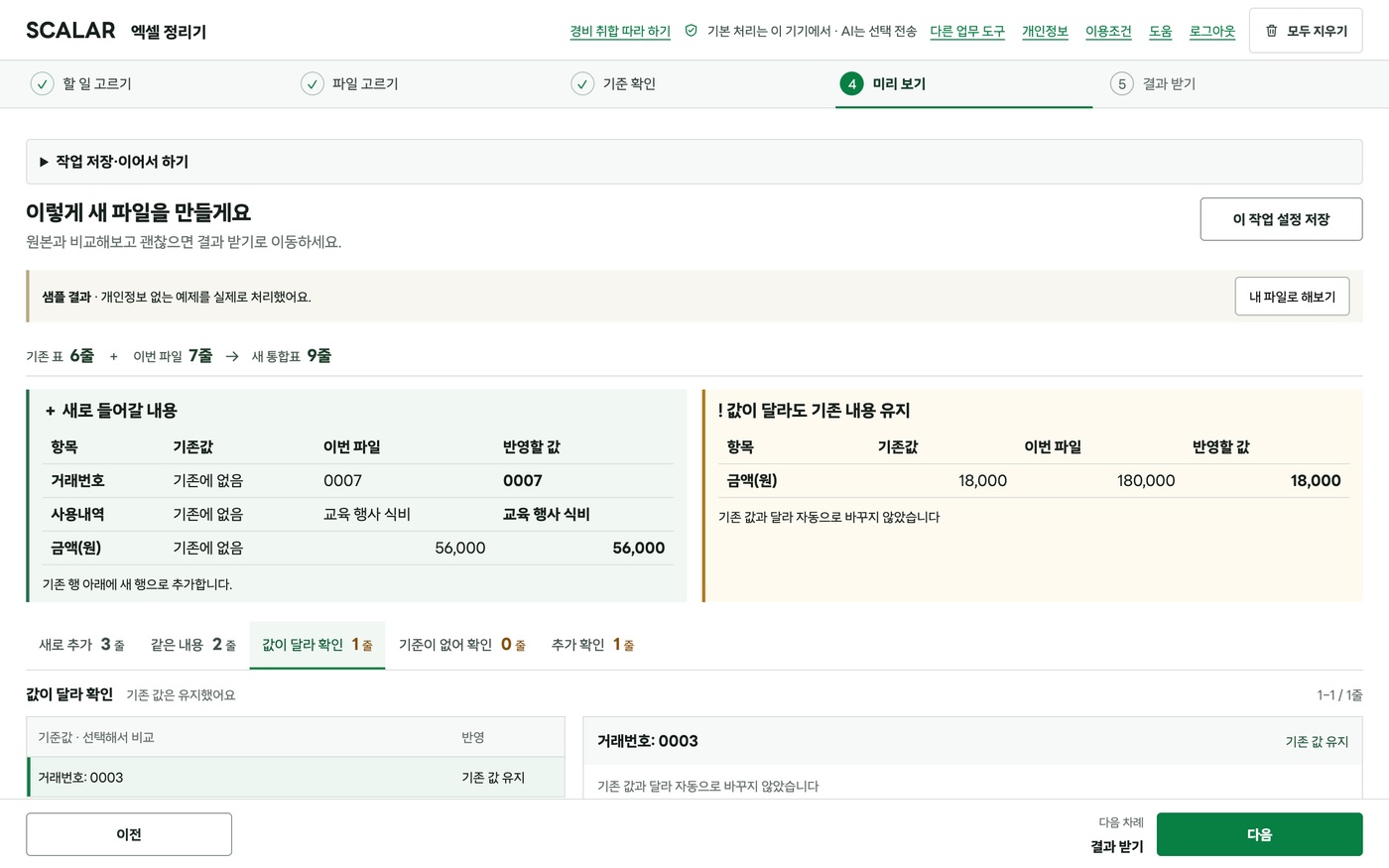
Same transaction, different amount
This example keeps the existing amount
and flags the incoming amount for review.

From preview to your file
9records274,700KRWActual result from the synthetic example above
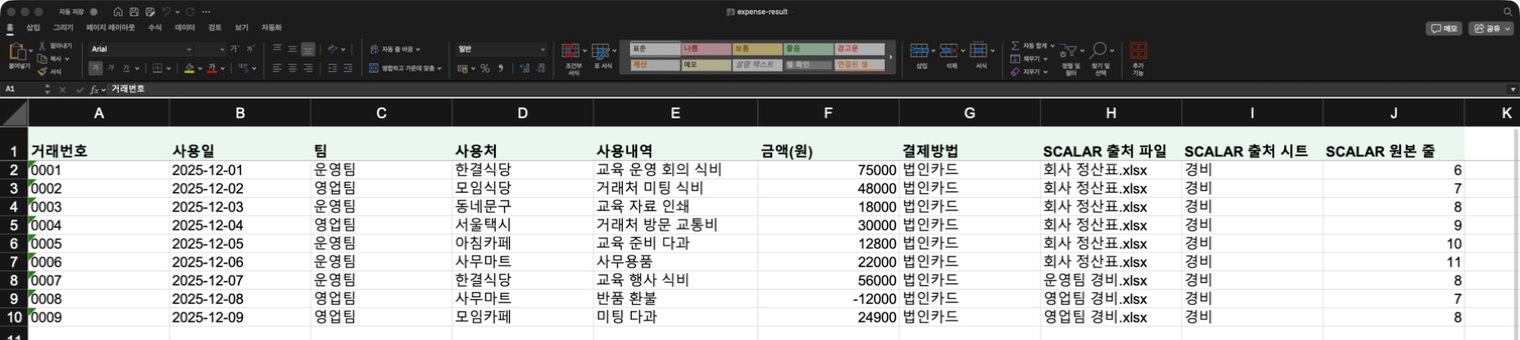
Next time, load your saved settings.
First, check the input sheets and column mapping.
30-second edited demo · Synthetic example · Korean interface · Not a processing-time guarantee.
SCALAR OFFICE TOOLS
From spreadsheets to rosters, reports and receipts.
Choose by the task and the file you need.
Consolidated Excel + review list
Attendance sheets, name tags and certificate PDFs
Editable report → PDF and DOCX
Receipt list in Excel + receipt files
Missing-file check + ZIP or merged PDF
Dispatch file + linked tracking records
All six · Super early 49,000KRWLimited to 50 · Funding price
Early bird KRW 59,000 · Limited to 50 / Regular KRW 79,000The six basic tools process files without sending them to generative AI. No separate AI subscription or token fees are required. Scope and terms (Korean) ↗ · Synthetic CSV roster example
AI chat · Public alpha
Keep your AI conversations together in one task.
The public alpha currently organizes and continues AI chat within one working context.
Services for teams
Application rosters, review lists and operating rules built for your workflow.
The roster pilot covers two real operating runs, with processing proof files. Settlement is a manual review of one period, delivered as a review CSV.
Anonymized operating case · Synthetic screens →Not sure which tool fits?
Guides and support →